The demo is not the product
Every payroll system computes gross to net convincingly. Salary in, deductions applied, payslip out. Half an hour of demo and it all looks solved.
The product is not that calculation. The product is somebody keeping the calculation correct as rates, wage ceilings, return formats and portal requirements change — repeatedly, without asking
you.
That is what you are actually buying, and it is why this is the one operational system where our answer is usually "buy it".
What has to be right
Payroll in India carries several separate obligations, each with its own base, its own filing and its own portal. A system that handles four of them and leaves the fifth to a spreadsheet has not really handled any of them, because the spreadsheet is where the error will be.
At minimum, confirm the software covers:
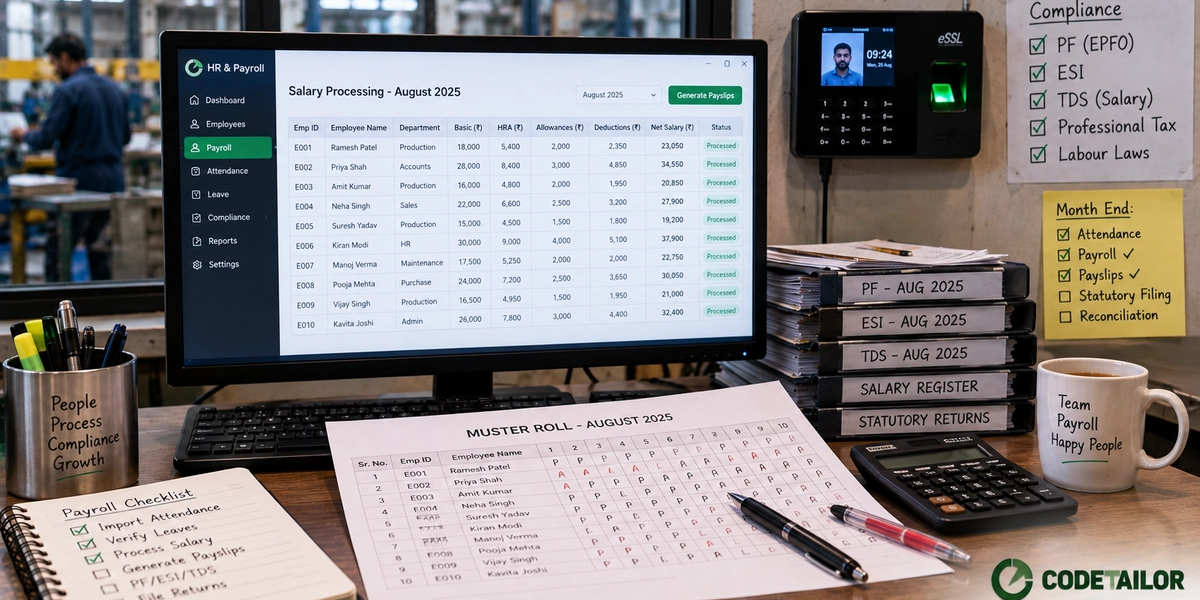
- Provident fund — contributions on the correct wage base, the monthly return, and the UAN details that go with it.
<current rates and ceiling — verify> - ESI — applicability by employee wage and by establishment, contributions, and the return. Note that employees move in and out of coverage as wages change, which the system should handle automatically rather than requiring someone to notice.
<current — verify> - Professional tax — a state subject, with different slabs and different filing calendars. If you have employees in more than one state, ask specifically how that is handled.
<state schedules — verify> - TDS on salary — declarations, proof collection, the two tax regimes, and quarterly returns with the resulting Form 16.
<current provisions — verify> - Gratuity and leave encashment, where applicable
- Bonus and statutory minimum wages for the states you operate in
- Labour welfare fund, where the state requires it
The point of the list is not that you memorise it. It is that you ask each vendor, item by item, whether it is inside the product or outside it.
The question that separates vendors
When a rate, a wage ceiling or a return format changes, who updates the system, how fast, and is
it included in what I pay?
Everything else is secondary. A payroll product is a maintenance subscription with software attached.
Ask for a specific recent example — something that changed in the last two years and what they did about it. Vendors who take this seriously answer immediately, because it is the work they are proudest of. Vendors who do not will talk about their roadmap.
Where errors actually enter
Not in the salary formula. In the inputs.
Attendance. If hours, shifts, overtime or leave affect pay and that data is retyped from a register or a device export, that is where the mistakes are. Every retyping step is a place where a digit changes. Integrating the attendance device with payroll removes an entire error class, which is usually the highest-return thing you can automate here — see the automation post.
Mid-month changes. Joining, leaving, increment, transfer, unpaid leave. Pro-rating in the month a change happens is where systems differ most, and where a demo never goes.
The definition of wages. Which components count towards which contribution. Get this wrong and every payslip is wrong in the same direction, quietly, until an inspection covers three years at once.
Arrears. Increments applied retrospectively affect prior-period contributions and tax. Ask directly how the system handles them; the answer is often less complete than the brochure suggests.
Practical checks before buying
- Run one month in parallel. Your real employees, real attendance, real components — against whatever you use now. Every difference is either a bug in the new system or an error in the old one, and both are worth knowing about.
- Test the awkward employee. Not the standard one. Someone who joined mid-month, took unpaid leave, crossed an ESI wage boundary and had an arrear. If that person's payslip is right, the ordinary ones will be.
- Ask about access and audit. Who can see salaries. Whether changes are logged with a user and a timestamp. Payroll data is the most sensitive data most SMBs hold, and shared logins are common.
- Check the employee side. Payslips, tax declarations, proof upload, leave requests. If employees cannot self-serve, HR becomes a helpdesk every month.
- Confirm you can get your data out. Full history, in a readable format, whenever you want. Same rule as billing software, and it matters more here because payroll records have retention obligations.
So when does building make sense?
Rarely for payroll itself. Occasionally around it.
Attendance capture on a shop floor with unusual shift patterns, contractor and job-work labour that no packaged HR product models well, incentive schemes tied to production output, or a workforce spread across sites with no reliable connectivity — these are real gaps, and a custom layer that feeds a packaged payroll engine is a sensible shape.
Rebuilding statutory calculation is not. Anyone offering to should be asked who maintains it in three years, and what happens if that person leaves.
What to do next
Take the obligations list above to whoever you are considering and go through it item by item, then ask the maintenance question and expect a specific answer.
If the gap turns out to be attendance or an unusual workforce structure rather than payroll computation, describe it to us — that is the part worth building, and it is smaller than people expect.