The phone your users actually have
Performance work usually happens on a developer's machine: a fast laptop, office fibre, a recent phone for testing.
The people using the software are frequently somewhere else. A store supervisor with a three-year-old Android in a godown with one bar. A field sales person on a highway. A billing counter on a connection shared with everything else in the building.
Most sites are not slow for them because of one large mistake. They are slow because of a dozen small decisions that are invisible on a fast connection and add up on a bad one.
That is what this checklist is about, and it applies whether or not you go on to build a full PWA.
First, measure honestly
Two things worth doing before changing anything.
- Test on a real mid-range device. Not the newest phone in the office. Slower processors do not just download slower, they parse and execute JavaScript slower, and that second part is where heavy sites fall apart.
- Throttle the connection. Browser developer tools can simulate a slow connection. It is not identical to real conditions but it is far closer than office wifi, and it will surprise you.
If a page takes several seconds to become usable under those conditions, that is what a meaningful share of your users experience every day.
Cut what happens before the first paint
The largest wins are almost always about doing less, not doing it faster.
Send finished HTML. If content is drawn by JavaScript after loading, everything waits on the script — download, parse, execute — and each stage is slower on a weak device. Rendering ahead of time or on the server removes that dependency, which is a per-page decision.
- Audit third-party scripts. Analytics, chat widgets, tag managers, fonts, embeds. Each is someone else's code on your critical path. Load them after the page is usable, not before, and periodically ask whether each one is still earning its place.
- Images. Usually the biggest bytes on the page. Modern formats, correct dimensions, and lazy loading for anything below the fold. Shipping a 2000px image into a 400px slot is common and costs real money on a metered connection.
- Fonts. A custom font that blocks text rendering means a blank space where the words should be. Self-host, subset, and make sure text is visible while the font loads rather than after.
Then decide what a PWA adds
A progressive web app is a website that can be installed, can control its own caching, and can do some work without a connection. Three parts, and you do not need all three.
- The service worker and the app shell. The highest-value piece for most business tools. The interface — layout, navigation, styles — is cached, so opening the app shows something immediately while data loads behind it. On a slow connection this is the difference between "loading" and "working".
- Installability. An icon on the home screen, opening without browser chrome. Small technical effort, disproportionate effect on whether staff use the thing daily. For internal tools this often matters more than any feature.
- Offline capability. The one people ask for first and understand least.
Offline is not a switch
"It should work without internet" is a sentence that hides several weeks of work.
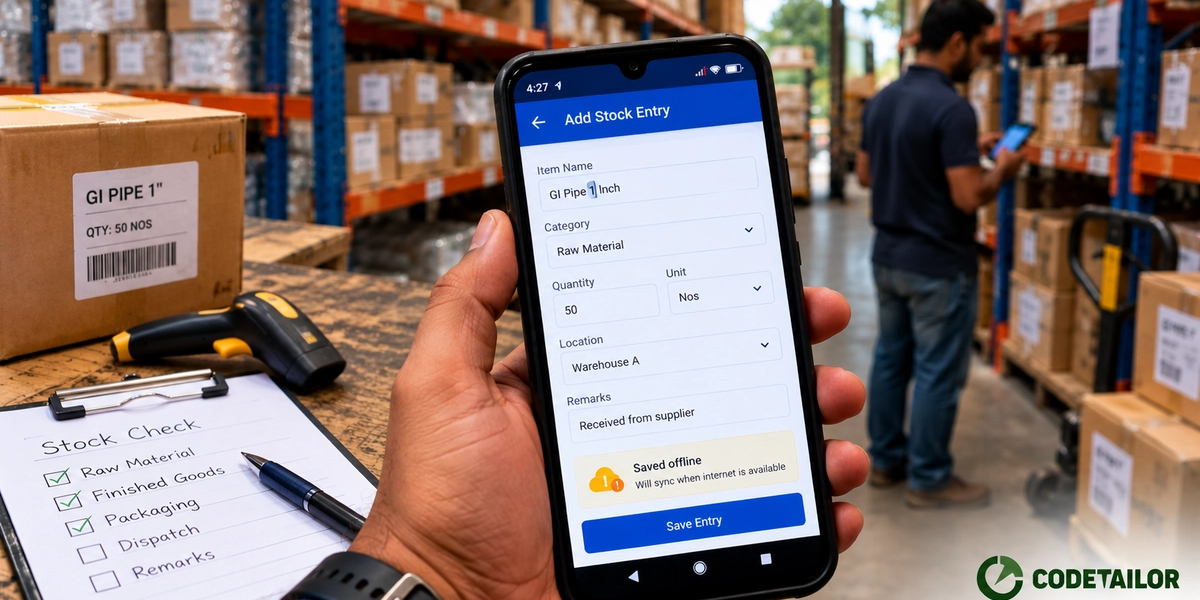
Doing it properly means storing data locally on the device, queueing actions taken while offline, sending them when the connection returns, and deciding what happens when two people changed the same record — or when someone edited offline while the same record moved on the server.
That last part is the one that gets skipped and the one that causes the damage.
So be selective. Ask which actions genuinely happen out of coverage. Usually it is one or two: recording a delivery, capturing a reading, filling a form on site. Make those work offline properly. Let everything else require a connection and say so clearly.
And make pending state visible. If something is saved on the device and not yet sent, the user must be able to see it and see when it clears. A queue nobody can inspect is a queue nobody trusts after the first time an entry goes missing.
PWA or a native app?
For internal business tools — forms, lists, approvals, capture, dashboards — a PWA is usually enough and is one codebase rather than two, which is most of the cost difference.
A native app is worth it when you need capabilities the web handles poorly or not at all: sustained background work, deep hardware integration, reliable push on every platform, or presence in the app stores because that is genuinely how your users will find you.
The honest test: if it is for your own staff, a PWA is very likely sufficient. If it is a consumer product where store presence is a distribution channel, that argument alone may decide it.
The checklist
- Tested on a mid-range Android on a throttled connection, not just the office setup
- HTML arrives with content in it, not an empty shell
- Third-party scripts audited and deferred
- Images sized and in a modern format, lazy-loaded below the fold
- Fonts self-hosted and non-blocking
- Service worker caching the app shell so the interface appears immediately
- Installable, if people will use it daily
- Offline scope decided deliberately — which actions, not "everything"
- Pending and sync state visible to the user
- Conflict behaviour decided before launch, not after
- Tested on iOS specifically, not assumed from Android
What to do next
Pick your slowest important page, open it on a mid-range phone with the connection throttled, and time how long until you can actually use it. That number is the brief.
Send us the URL and the number and we will tell you where the time is going. More on the web application work we do.