
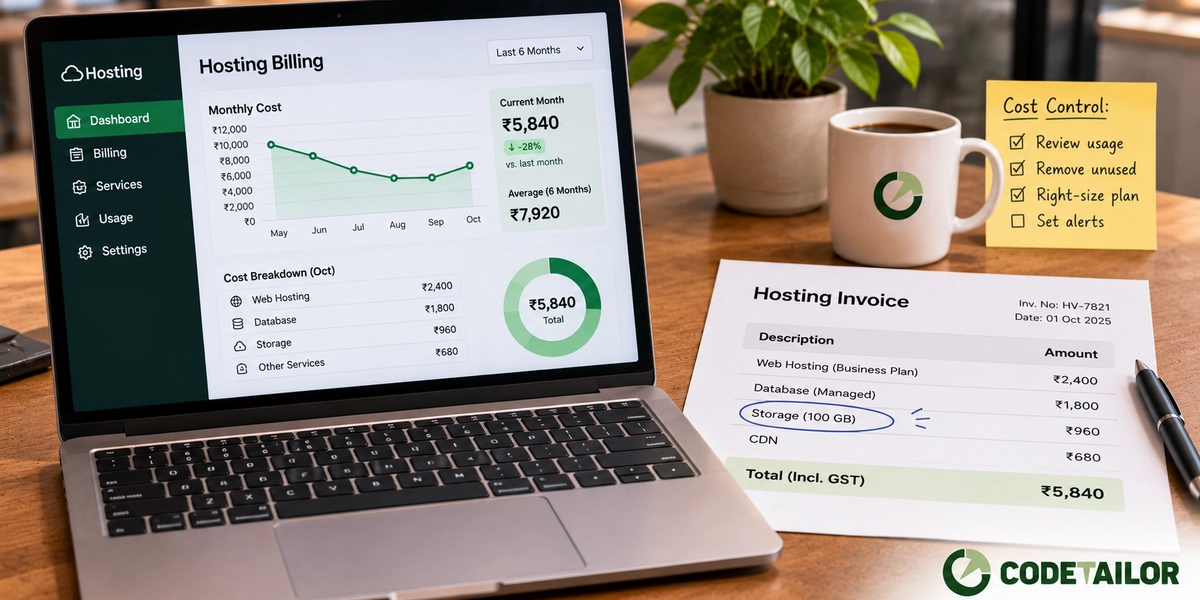
The bill nobody reads until it doubles
A website goes live. The first invoice is small enough that nobody checks it. Eighteen months later it is several times larger, traffic is roughly the same, and no one can say which line item changed.
That story is common enough to be the default. Hosting bills drift upward because infrastructure is easy to add and awkward to remove, and because nothing on the invoice describes what it is for in words anyone in the business would recognise.
What a website hosting cost is made of
Four things, in roughly this order of surprise.
- Compute. A server, or a container, or a function — something that runs when a page is requested. This is the line people expect. It is also the line you can often delete entirely.
- Bandwidth, especially outbound. Data leaving the platform. Cheap per unit and enormous in aggregate if your pages ship unoptimised images. This is the line people never expect.
- Storage, and its shadow. The disk is cheap. Daily snapshots kept for a year are not. Neither are logs, retained by default at a verbosity nobody chose.
- Managed services. A hosted database, a search service, a queue, an image transformation service, a monitoring plan. Each one is reasonable in isolation. Together they are usually most of the invoice.
The four shapes of hosting, honestly described
- Shared hosting. Cheapest, and fine for a small brochure site. You share a machine with strangers, so performance is whatever they leave you, and deploying anything modern is awkward.
- A VPS. Your own slice of a machine. Predictable and inexpensive, and it hands you a second job: patching the operating system, renewing certificates, watching disk space. Perfectly sensible if someone is doing that. A slow-motion security problem if nobody is.
- A managed platform. You push code, it deploys. More per month, far less of your time, and the usual right answer for a business that does not employ anyone to run servers.
- Static files on a CDN. The site is built into HTML at deploy time and served as files. No server runs per visitor, so there is almost nothing to bill and almost nothing to attack. This is how codetailor.in itself is hosted.
Start by asking whether you need a server at all
Most business websites are read far more often than they change. Marketing pages, service pages, a blog, a careers list. Nothing on them is personal to the visitor.
A site like that does not need a server running around the clock. It needs a build that produces files, and a place to put them. The trade is that content changes require a rebuild, and if your content editors publish several times a day that trade may not suit you — the rendering strategy post covers where the line falls.
But it is the question to ask first, because it is the only one that removes an entire cost category rather than shrinking it.
Where the money usually hides
- A staging environment nobody uses. Built for a launch two years ago, still running, still billed.
- Images served at full size. A 4 MB photograph resized in the browser to 400 pixels costs you bandwidth on every single view and costs the visitor their patience.
- Log retention. Default settings often keep everything for months at a verbosity meant for debugging. Very few businesses need more than a few weeks.
- Backups of backups. Automatic snapshots, plus a backup plugin, plus the database dump a developer set up on a cron and forgot.
- An oversized database instance. Provisioned generously at launch "to be safe", never revisited, running at a fraction of capacity.
- Per-request image transformation. Convenient, and metered. If the same hero image is transformed on every request instead of once, you are paying for the same work thousands of times.
When paying more is the correct decision
Spending less is not automatically right. Move up, not down, when downtime costs you orders directly, when you handle payments or personal data and need proper isolation and audit trails, when traffic is genuinely spiky, or when your application does real work per request — search, reporting, live dashboards.
The mistake is not spending. It is spending on a shape of infrastructure your website never needed, because that was the default on the day it was built.
A short review anyone can run this week
Open the last three invoices side by side and find the lines that changed. Then, for every running environment, ask who used it in the last month. Check what your five largest images weigh. Look at how long logs and snapshots are kept. Ask what the database instance is actually using.
That review takes an afternoon and, in our experience of doing it on other people's accounts, the answer is usually one or two lines rather than a general excess.
What to do next
If your bill has grown and nobody can name the cause, the cause is on the invoice — it is just not written in a language the business speaks. Send us the invoice and the stack it belongs to and we will tell you which lines are load-bearing.
If you are about to build, decide the hosting shape before the code, not after. More on deployment and hosting, and on what maintenance covers once the site is live.
For an online store this is not a separate decision at all — the platform picks the hosting shape for you, which is half of what custom, Shopify and WooCommerce actually differ on.
Editor note — no figures on purpose. This post carries no rupee or dollar amounts because provider pricing changes and a stale number here would be worse than no number. If you want prices in here, take them from the providers' own current pricing pages on the publish date, cite each one, add a "checked on" line — and write them into the bullets as sentences. The blog body has no table support, so a price table cannot be pasted into Sanity at all.