"Can we skip the design part and just start building?"
Reasonable question. Design looks like the stage where nothing gets made — drawings, discussions, revisions, while the actual product does not exist yet.
But skipping it does not remove the decisions. Every question design would have answered still has to be answered. It just gets answered later, by a developer, mid-build, usually alone, and reviewed by nobody until it is already working software.
Changing your mind about a layout on a prototype takes minutes. Changing it after it is built takes days, and then everything connected to it has to be retested.
That is the whole argument, and it is worth understanding stage by stage.
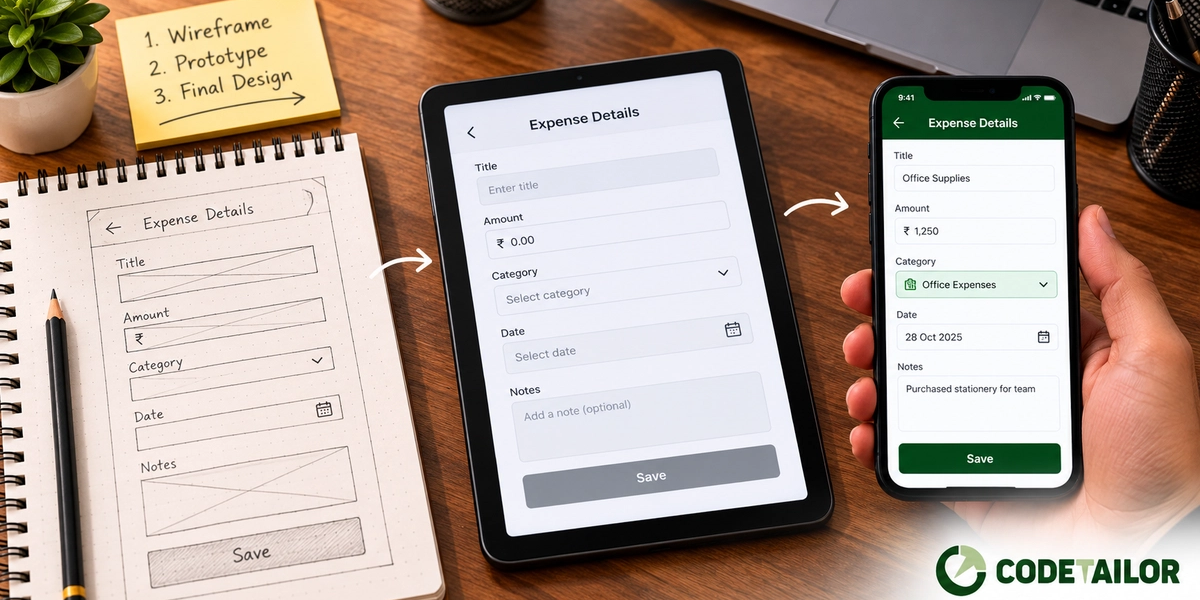
Stage one: wireframes decide what is there
A wireframe is a deliberately plain layout. Boxes, labels, no colour, no real images, often greyscale.
The plainness is the feature. Nobody looks at a wireframe and discusses the shade of blue, because there is no blue. What they discuss is what belongs on this screen, what the user is supposed to do here, and what happens when they do it.
Questions that get settled at this stage:
- What is on this screen and what is not
- What the primary action is, and whether it is obvious
- How someone gets here and where they go next
- What happens when there is no data, or too much
- What is required and what is optional
That last group is where wireframes earn their cost. Empty states, error states, the long list, the very long name. Every real product has them and briefs almost never mention them.
If your product is unusual — an internal tool with genuinely complex logic, an operations screen where density matters — this is the stage to spend time in. It is also the cheapest place to be wrong.
Stage two: visual design decides what it feels like
Now colour, typography, spacing, the actual components. This is where the product stops looking like a diagram and starts looking like software.
It is worth doing after the wireframe rather than instead of it, for one practical reason: a polished-looking screen invites polish-level feedback. Show a client a finished-looking design and the comments are about colour. Show them a wireframe and the comments are about whether the flow makes sense — which is what you actually need at that point.
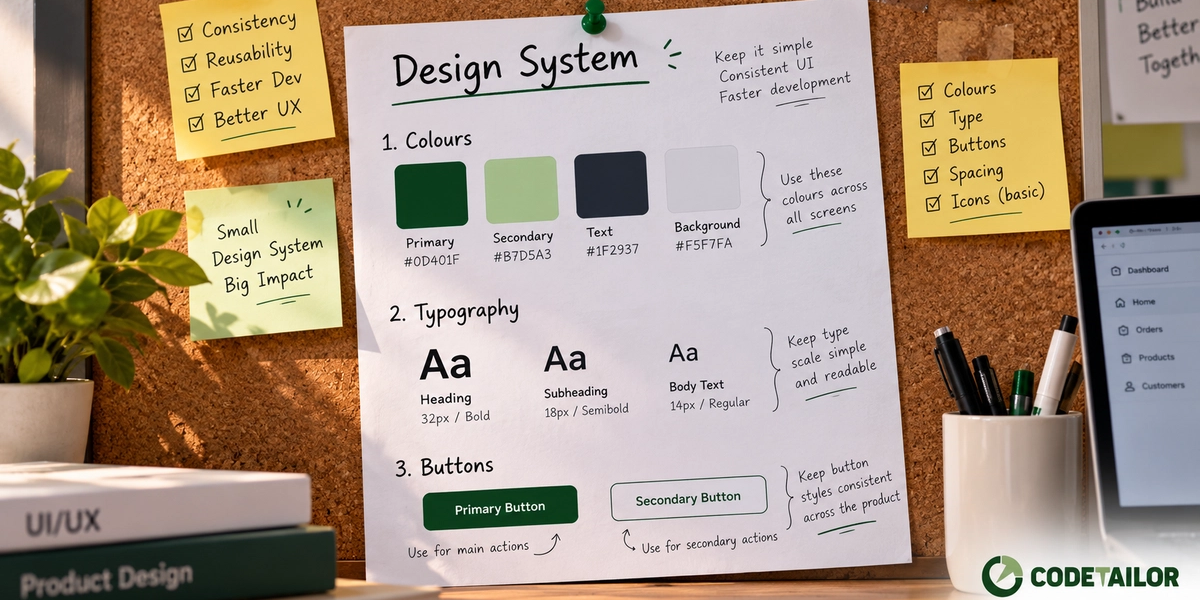
This stage also produces the reusable pieces: buttons, form fields, cards, table styles. On anything larger than a few screens, agreeing these once is what stops the tenth screen looking unrelated to the first — the beginning of a design system, whether or not you call it that.
Stage three: the prototype decides whether it works
A prototype is the designed screens linked together so you can click through them.
It is not a real product — nothing is saved, no data is real. But you can walk a person through a task and watch them do it, and this is the only stage before build where you can find out that a flow is confusing. Five people is enough to find most of it, and it does not need a budget.
What it catches, reliably:
Missing screens. Almost every project discovers at least one at this stage — the confirmation after an action, the state where something failed, the screen for a user who has no records yet.
Too many steps. Obvious when clicking, invisible on a page of static layouts.
Assumptions about knowledge. You know what the label means. The person using it may not.
If the product has a flow rather than a single page, this stage is worth the time. If it is genuinely one screen, it is not.
Stage four: build, where changes get expensive
By now the arguments have happened and been resolved on artefacts that were cheap to change.
Development still finds things — a case nobody thought of, an API that does not return what was assumed. That is normal. What you have avoided is the expensive category: fundamental changes, discovered late, after the thing is built.
This is why the design stage does not extend the timeline as much as it appears to. Where the weeks actually go includes a rework allowance whether or not anyone budgets for it, and design is largely a way of spending less of it. It is also one of the bigger levers on what an app costs to build.
When you genuinely can skip stages
Not every project needs all four.
- A familiar screen type. A standard contact form, a login. The patterns are settled and inventing a new one is usually a mistake.
- A small internal tool for a handful of people. If the users are in the room, a whiteboard sketch and a conversation may be enough.
- A rebuild where the flow is not changing. If you are replacing the technology and keeping the behaviour, the existing product is the wireframe.
What you should not skip on anything customer-facing, or anything more than a few screens, is the wireframe stage. It is the cheapest and it decides the most.
How to make the stage go faster
The design stage rarely runs long because designing is slow. It runs long because feedback arrives in fragments.
Two things fix that:
Consolidate feedback. One person collects everyone's comments and sends them as one round. Two consolidated rounds beat six scattered ones by about a week.
Send decisions, not reactions. "This does not feel right" starts another cycle. "Move the total above the fold — that is what our accounts team looks at first" ends one.
What to do next
If you have a product idea and are deciding whether to invest in design, a useful test: write down what happens on the screen when there is no data, when something fails, and when there is far more data than expected.
If you cannot answer all three quickly, those answers are going to be invented by someone during the build — and that is what the design stage exists to prevent.
More on wireframing and prototyping, or send us the idea and we will tell you which stages it actually needs.